
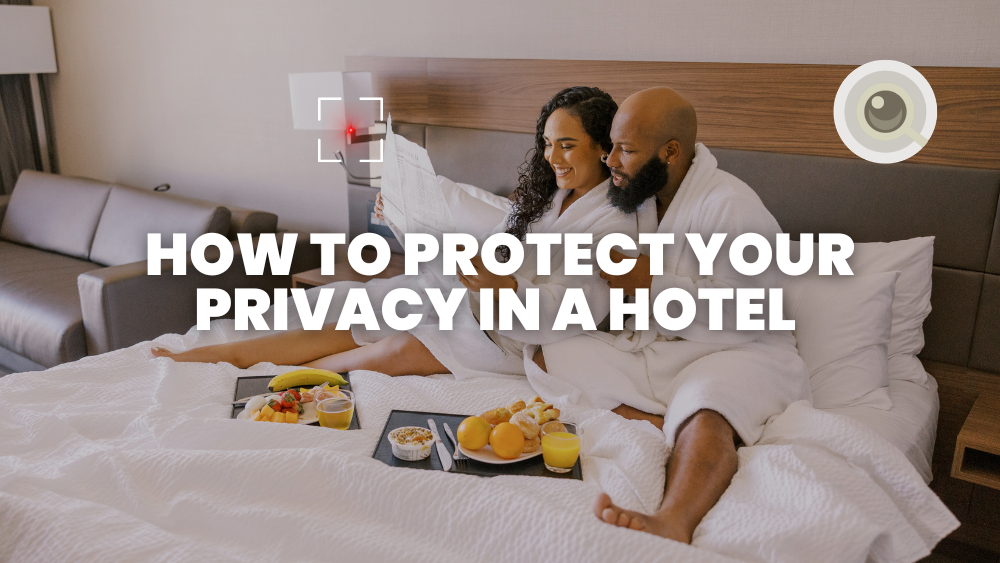
How to Protect Your Privacy When Staying in a Hotel
By: Admin
2026-08-27
A hotel room is supposed to give you a private space away from home. But checking into a room doesn't mean you should stop thinking about privacy.
From your personal belongings and conversations to your phone, accounts and the devices around you, there are several things worth checking whenever you stay somewhere unfamiliar.
The good news is that most privacy precautions are simple. A few minutes of checking your room, securing your belongings and reviewing your digital connections can give you greater peace of mind throughout your stay.
1. Check Your Room When You Arrive
Before unpacking, take a quick look around the room.
Pay attention to objects positioned toward areas where you would normally expect privacy, such as the bed, bathroom, dressing area or desk.
Look for anything unusual, recently installed or out of place.
This doesn't mean assuming every unfamiliar object is suspicious. Hotels contain many legitimate electronic devices, including smoke detectors, motion sensors, thermostats and smart-room equipment.
The goal is simply to understand what's in your environment.
2. Look Carefully at Unfamiliar Electronics
Modern hotel rooms can contain numerous electronic devices.
Check unfamiliar chargers, adapters, clocks, speakers, smart devices and other electronics.
You shouldn't dismantle hotel equipment or damage property. Instead, look for anything that appears inconsistent with the room's normal setup.
If something genuinely concerns you, document it and contact hotel management rather than immediately handling it.
3. Consider a Hidden-Camera Privacy Check
One practical part of a hotel privacy routine is checking for potential recording devices.
A visual inspection should come first. You can also use technology to assist your inspection.
DETEKCAM combines smartphone-based detection methods, including AI lens detection, infrared detection and magnetic-field detection, to help users inspect their surroundings.
No detection method should be treated as a guarantee that a room contains or does not contain a camera. These tools are best used as an additional layer alongside sensible visual inspection.
4. Secure Your Personal Belongings
Don't leave passports, cash, cards or expensive electronics in plain sight when you leave the room.
Use the room safe if available, or keep valuables with you when practical.
5. Be Careful With Hotel Wi-Fi
Hotel Wi-Fi is convenient, but you shouldn't assume it is private.
Avoid logging into sensitive accounts on unfamiliar networks whenever possible. Prefer secure websites (HTTPS), multi-factor authentication, and a VPN when appropriate.
6. Protect Your Devices and Accounts
Keep your phone and laptop locked when not in use.
Use strong passwords, enable biometric locks where available, and keep software updated.
7. Mind Conversations and Shared Spaces
Hallways, elevators, lobbies and shared workspaces can reduce privacy for conversations and screen content.
Be mindful when discussing sensitive information or leaving devices unlocked in public hotel areas.
8. Review Smart-Room Features
Some hotels use smart speakers, tablets, TVs or connected controls.
If a device concerns you and settings are available, adjust them appropriately, or ask the front desk for guidance.
9. Know What to Do If Something Feels Wrong
If you find something genuinely suspicious:
- Do not dismantle or damage hotel property.
- Document what you see if it is safe to do so.
- Leave the area if you feel uncomfortable.
- Contact hotel management.
- Consider contacting local authorities if you believe a serious privacy violation has occurred.
The appropriate response depends on the circumstances and local laws.
10. Make Privacy Checks Part of Your Travel Routine
You don't need to become paranoid every time you enter a hotel.
Instead, create a simple arrival routine:
Enter → Inspect → Secure → Connect Carefully → Relax
A two-minute privacy check can become as routine as checking your passport, luggage and room key.
FAQs
How can I check my hotel room for privacy risks?
Start with a visual inspection of unusual objects, electronics and devices positioned toward private areas. You can also use a detection app such as DETEKCAM as an additional inspection tool.
Is hotel Wi-Fi private?
You shouldn't assume hotel Wi-Fi is completely private. Avoid sensitive activity on unfamiliar networks and use appropriate security measures.
Can a phone detect hidden cameras?
Some smartphones and apps can assist with camera detection using methods such as lens analysis and infrared detection. However, no app should be treated as a guaranteed way to find every hidden camera.
What should I do if I find a suspicious device in my hotel room?
Don't dismantle it. If safe, document what you see, move to a safer location if necessary, notify hotel management and contact local authorities when appropriate.
Copyright © 2024 Cybergram Pte Ltd (UEN: 202300863E) t/a DETEKCAM
